Back to Updates

New feature – Email Piping


We’re happy to announce that Ticksy is now supporting Email Piping.

What that means?
It means that your customers will be able to open a new ticket or reply to an exiting one from their email client without ever having to get to your Ticksy subdomain app.

How do you set it up?

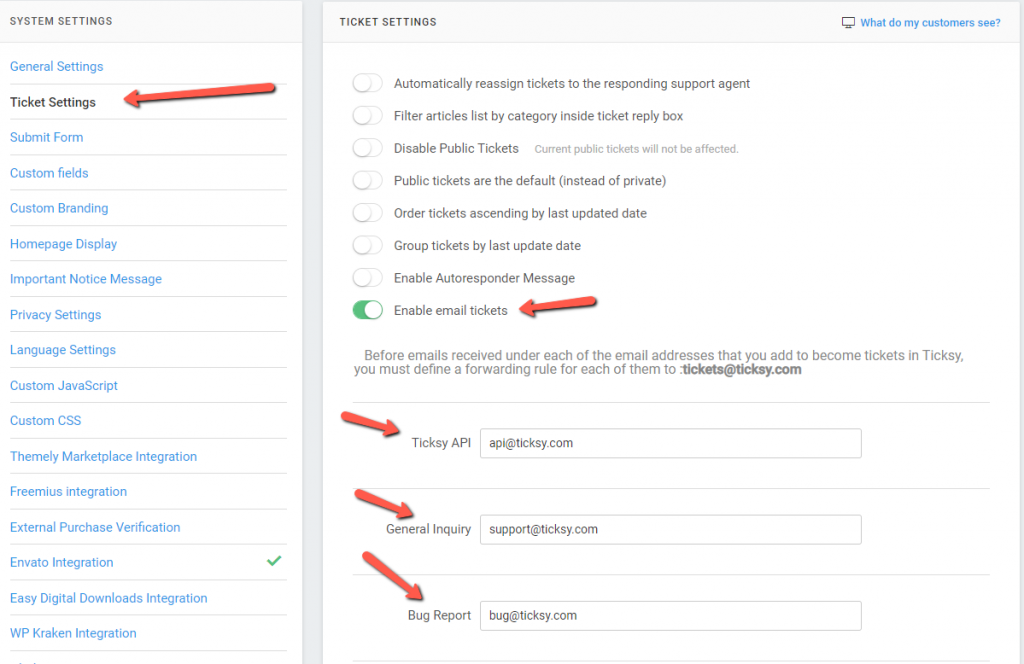
First you have to enable this feature from Settings->Ticket Settings->Enable email tickets. Then add the list of email addresses(up to 3) for each of your categories.
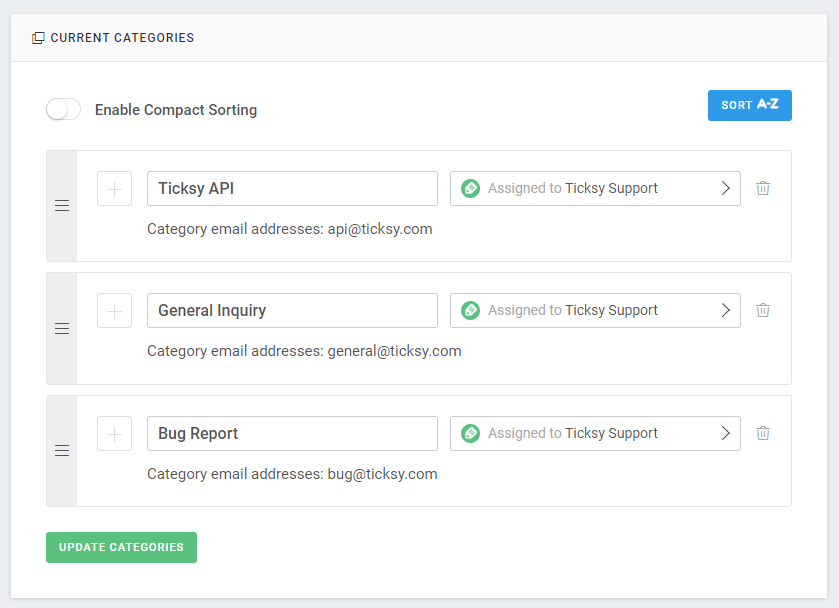
The attached email address will be displayed next to each category inside the categories setup page
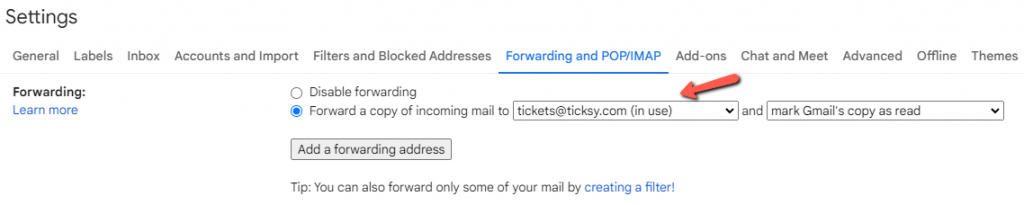
Before received emails become tickets you must create a forwarding rule
to [email protected] for each of the email addresses defined . Here’s an example of how you can define that in Gmail:
Manage Cookies
Ticksy
We use cookies to improve your online experience, analyse how our site is performing and offer personalised ads and content.


Out of these cookies, the cookies that are categorized as necessary are stored on your browser as they as essential for the working of basic functionalities of the website.

We also use third-party cookies that help us analyze and understand how you use this website, and provide them with content and advertisements that are relevant to you. These cookies will only be stored on your browser with your consent, and you also have the option to opt-out of these cookies below.
Necessary Cookies

Necessary cookies are crucial for the basic functions of the website and the website will not work in its intended way without them. These cookies do not store any personally identifiable data.

Third Party

Analytical cookies are used to understand how visitors interact with the website. These cookies help provide information on metrics the number of visitors, bounce rate, traffic source, etc.

Advertisement cookies are used to provide visitors with relevant ads and marketing campaigns. These cookies track visitors across websites and collect information to provide customized ads.